

SMESK Note
the desk the laptop disappears into
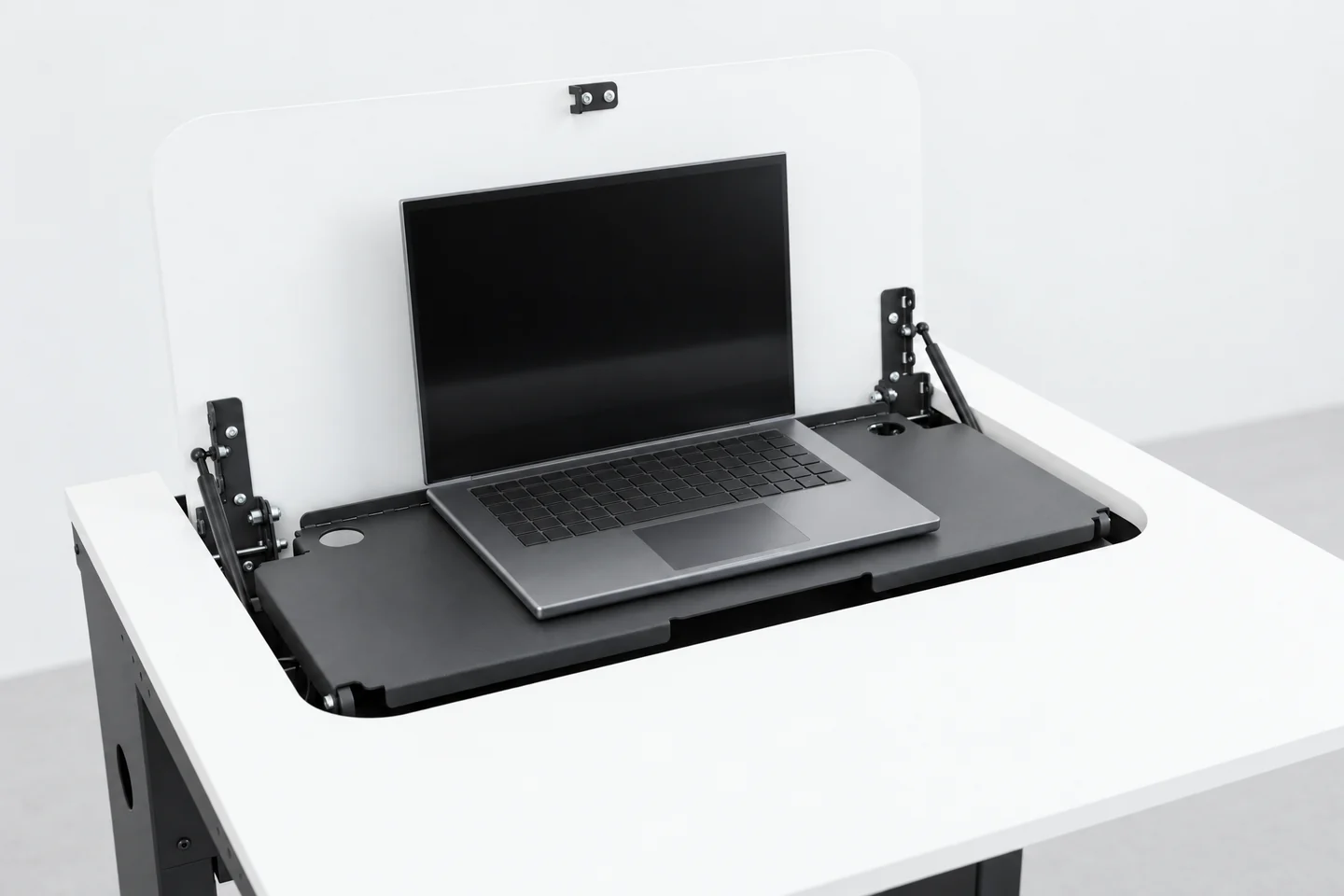
In seconds, the classroom becomes a computer room. And back again.
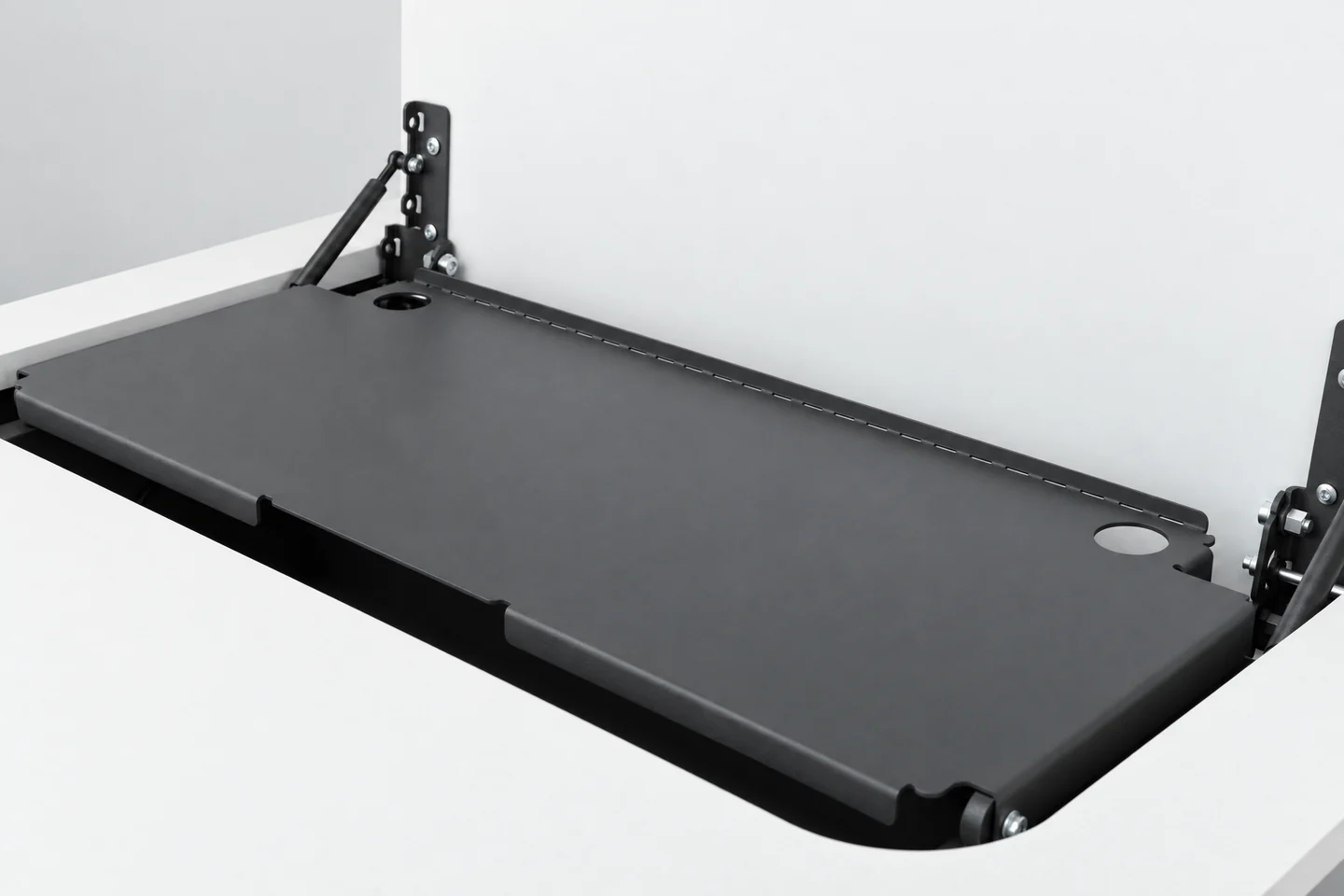
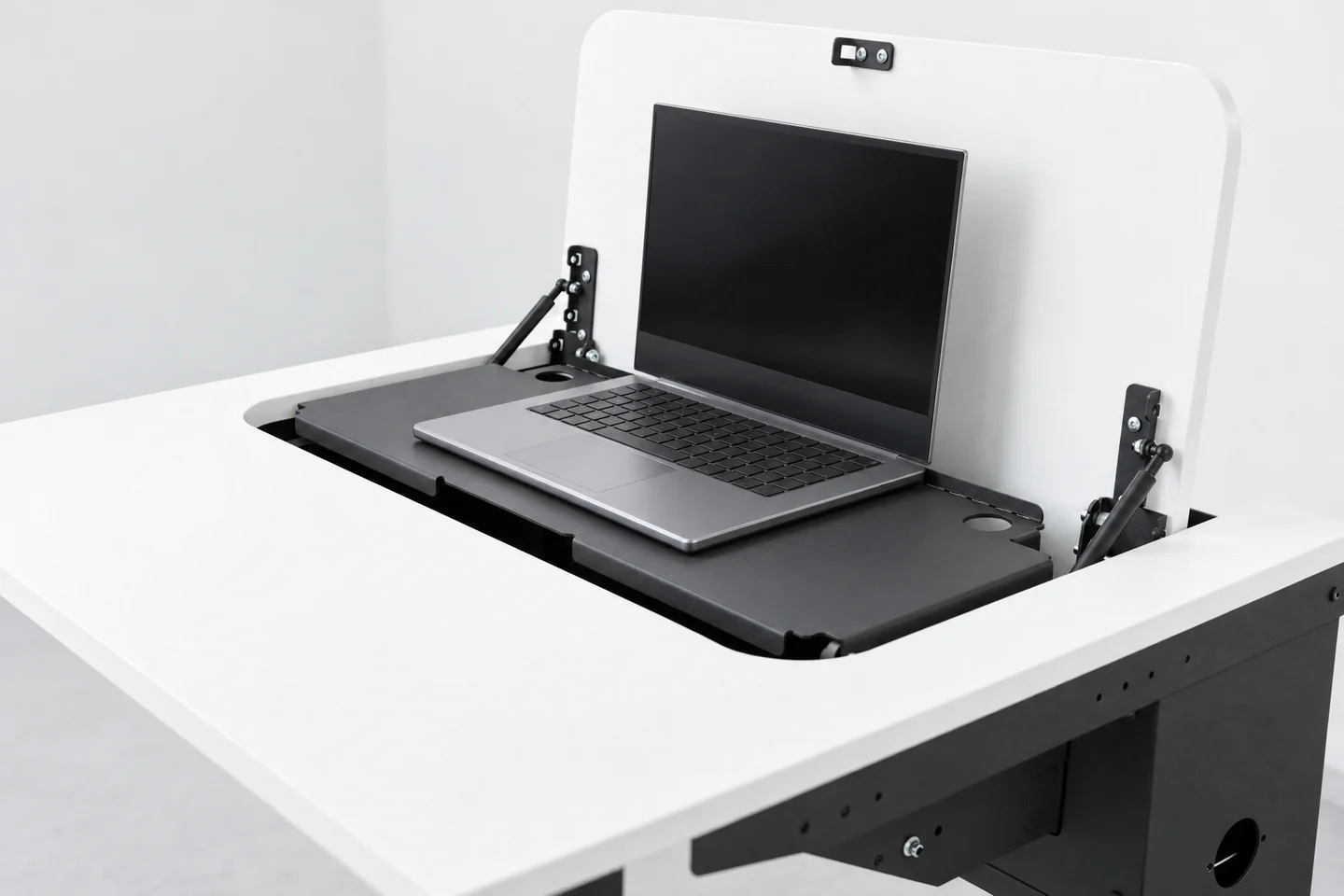
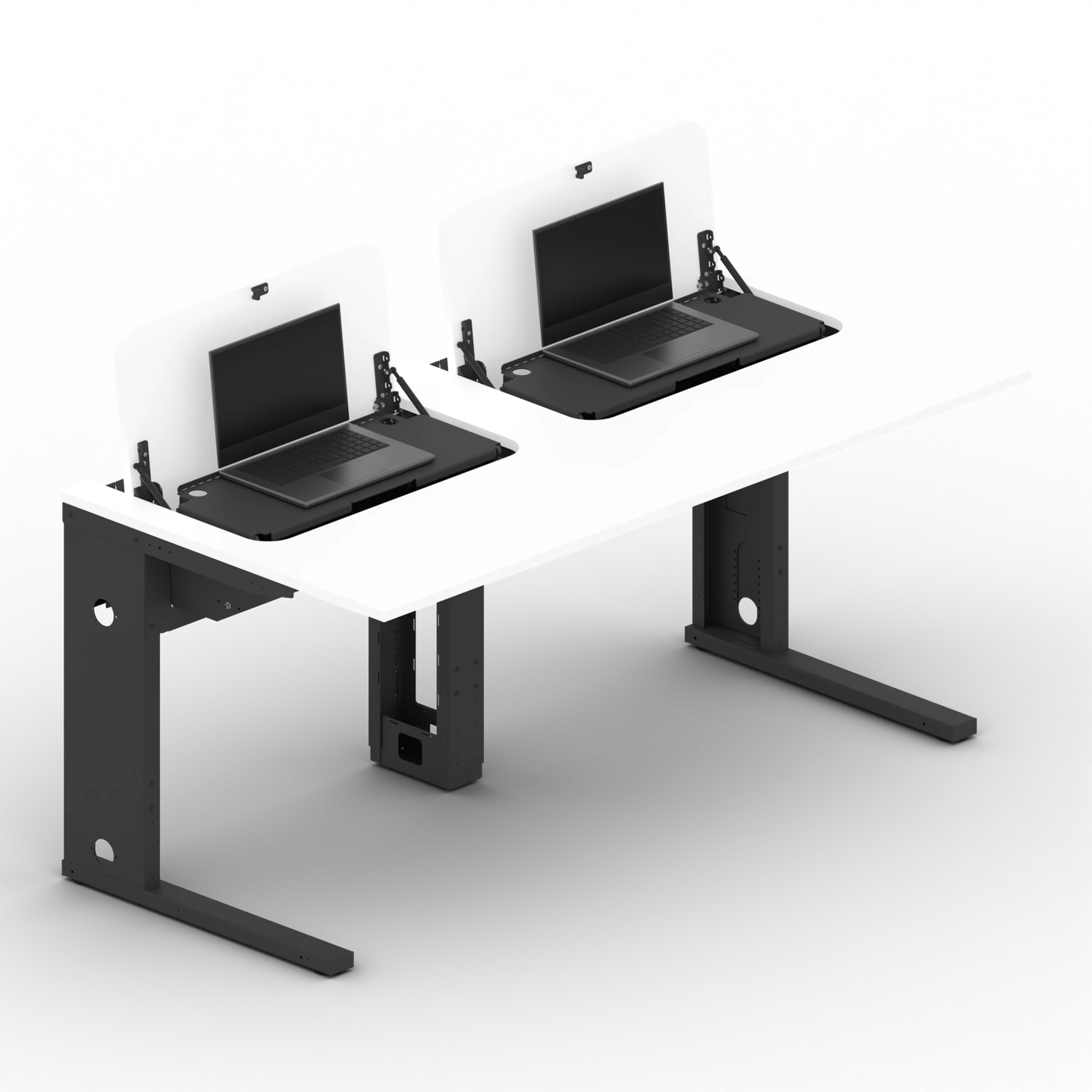
Unlock the rotary lock and open the flap: the platform comes up with the laptop and lies level, flush with the desk surface. When closed, the desk is a smooth surface again. The laptop stays underneath, inside the desk.
No obligation, shipped in tested transport boxes.
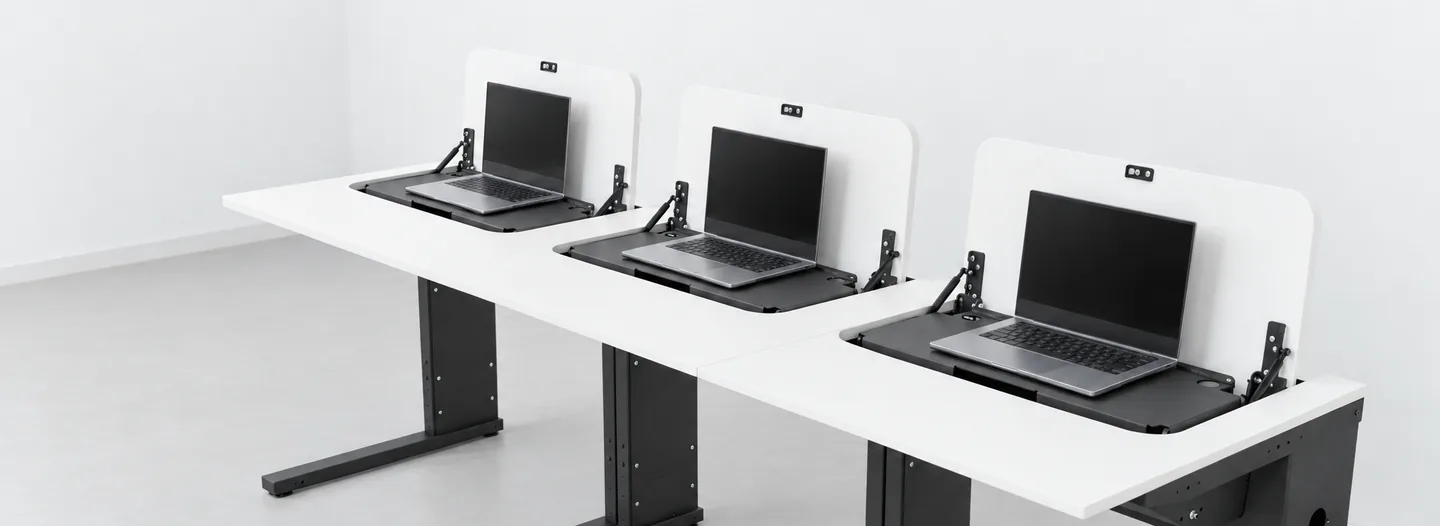
Key facts at a glance
- up to 15.6 inches laptops up to 25 mm high
- Storage space for power supply and cables under the platform
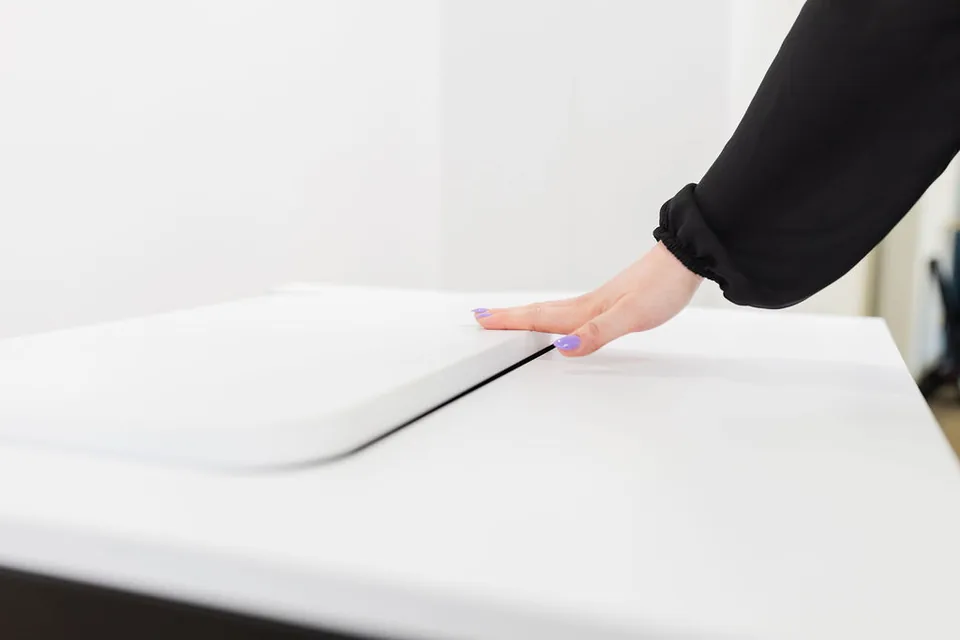
- Clear surface when closed, the desk is smooth
- Lockable the flap is the lid
- 7-year warranty* from delivery, in the EU and Switzerland
- 74–82 cm working height, tool-adjustable
Delivery time from 7–8 weeks in the fast-delivery programme, for selected models.
Developed and assembled in Germany.
Room use
One room, many uses
When laptops are kept in a trolley or cabinet, they have to be handed out before every lesson and collected again afterwards. With the Note, every device has its own fixed place in the desk. This means the same room can be used both as a computer room with laptops and as a classroom, seminar room or meeting room.
Example
In the first lesson, the class does research on their laptops. Then everyone closes their laptop and shuts the flap. The laptops stay in the desks. Maths lessons now begin at the same desks.
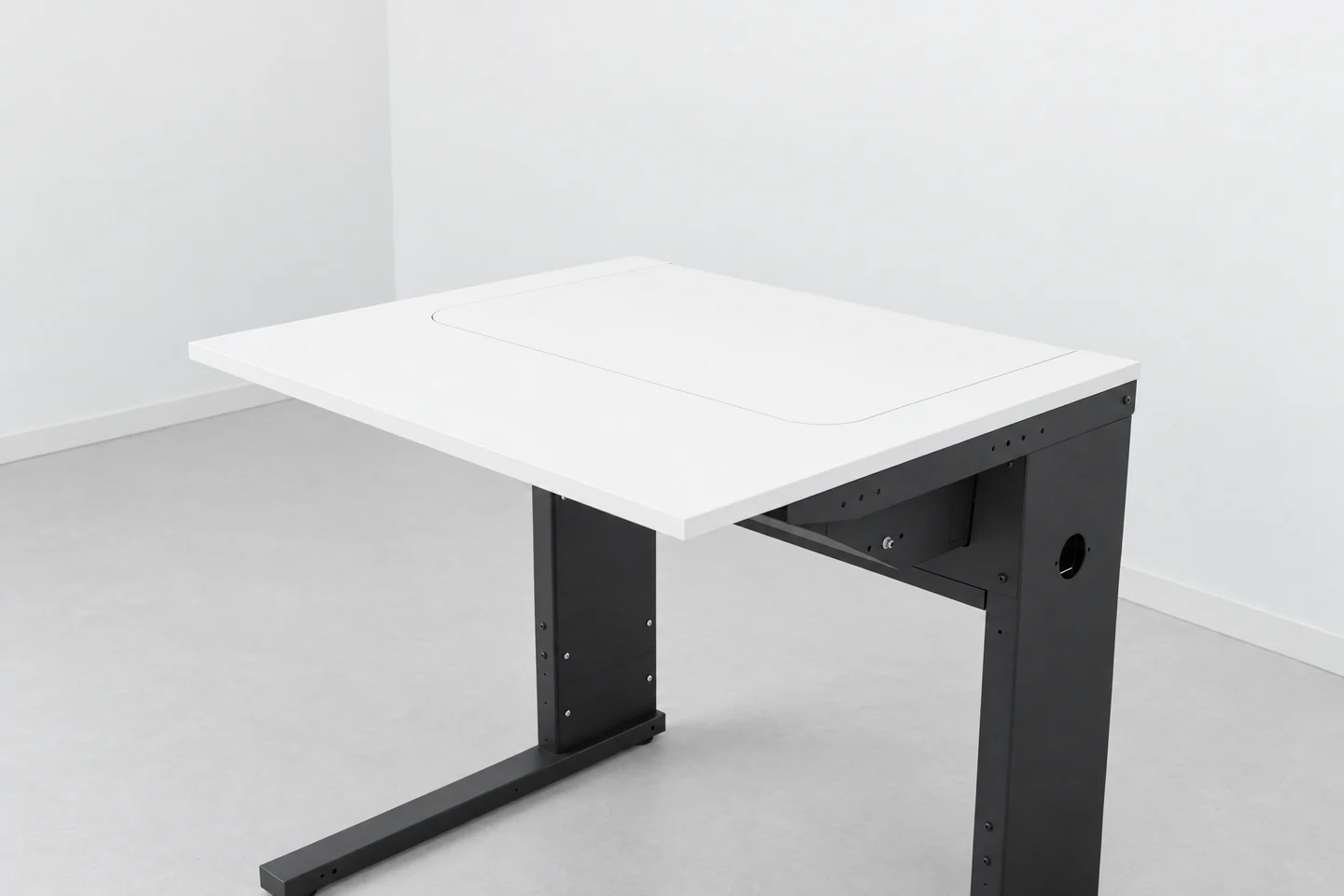
For school authorities, this means one room does two jobs, yet it only has to be planned, built and maintained once.
The laptops have a fixed place and can stay plugged in there. Nobody has to fetch them before the lesson and put them away again afterwards.
A look at the desk shows how this works at each workstation.
How the Note works
A workstation when open, a clear desk when closed




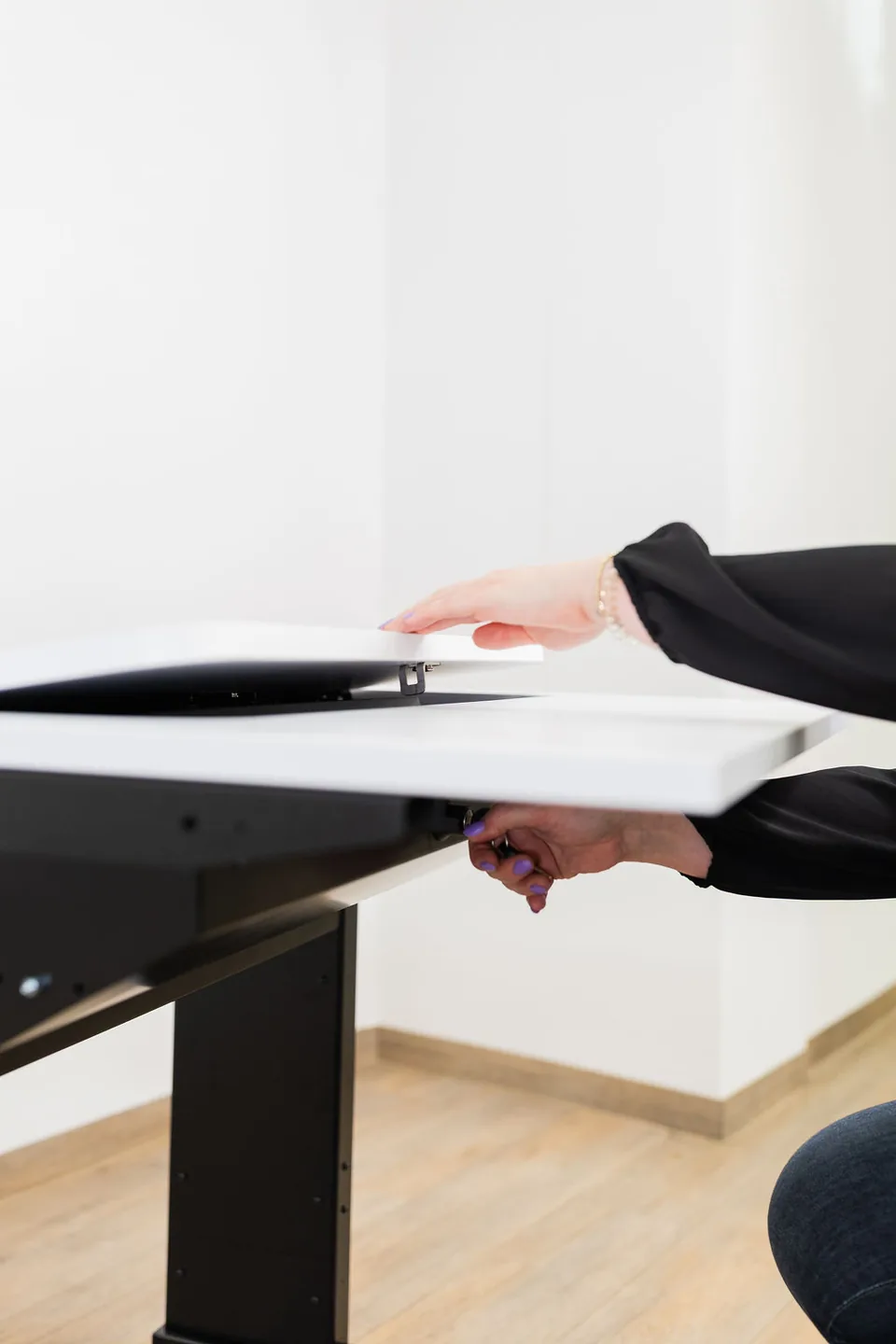
Unlock.
Use the rotary lock under the desk to release the flap.
Open.
As you open the flap, the platform comes up with the laptop. It then lies level and flush with the desk surface. A stop edge at the back keeps the device from sliding backwards.
Work.
Open the laptop, and the desk becomes a laptop workstation. The device can stay connected.
Close.
To put it away, close the laptop, shut the flap and lock it. The desk surface is then clear again.
That was the whole changeover.
When closed, the platform with the closed laptop lies at a slight angle beneath the flap. The flap acts as a lid and can be locked with the same rotary lock as on the Flip.
Try it yourself: request a trial installation
Which leaves the question of what else the desk can hold besides the laptop.
PC mount
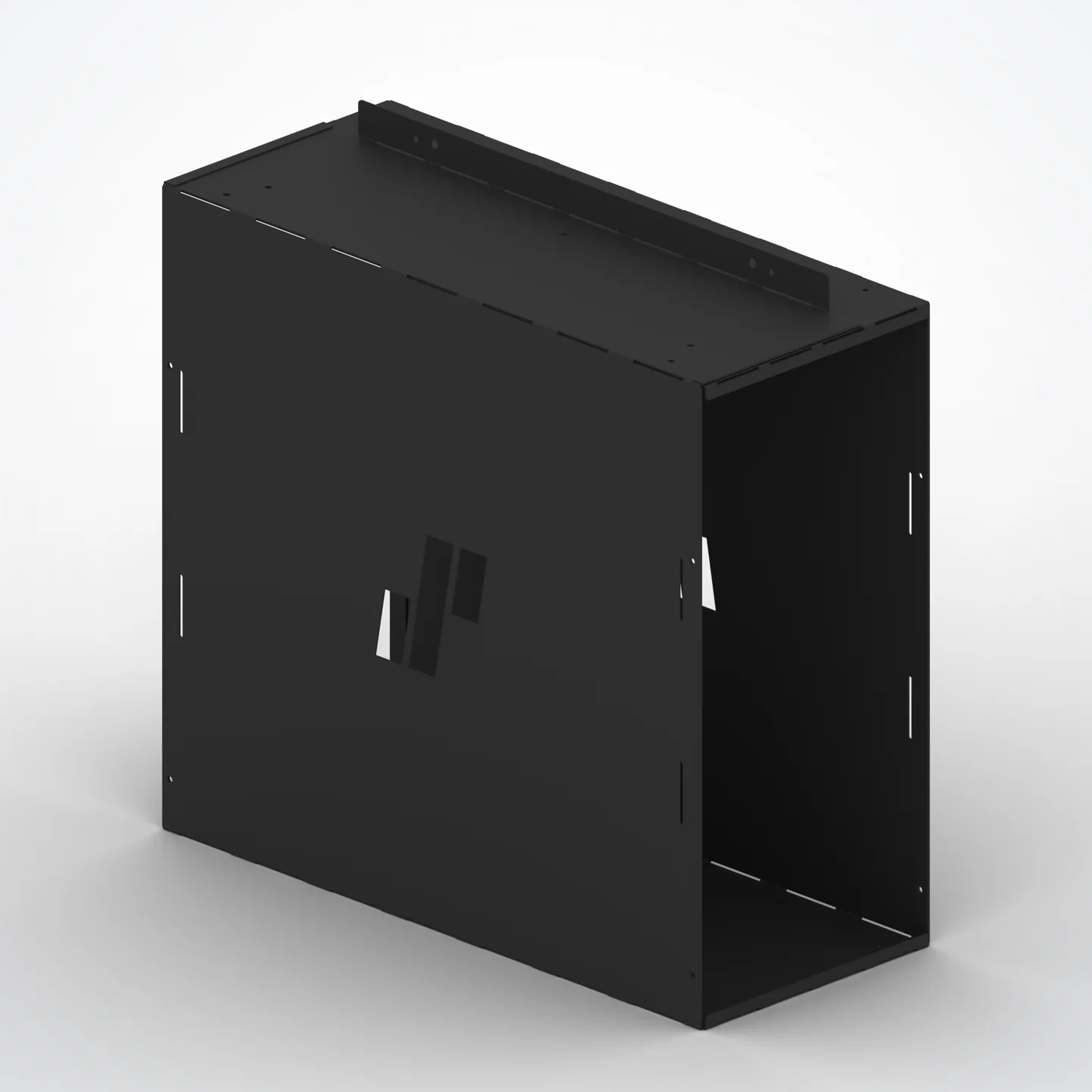
Your PC: your choice, fixed in the desk
Your laptop lies in the Note. The laptop compartment is designed for devices up to 15.6 inches and 25 mm high. You decide which model to use, with no tie to any manufacturer.
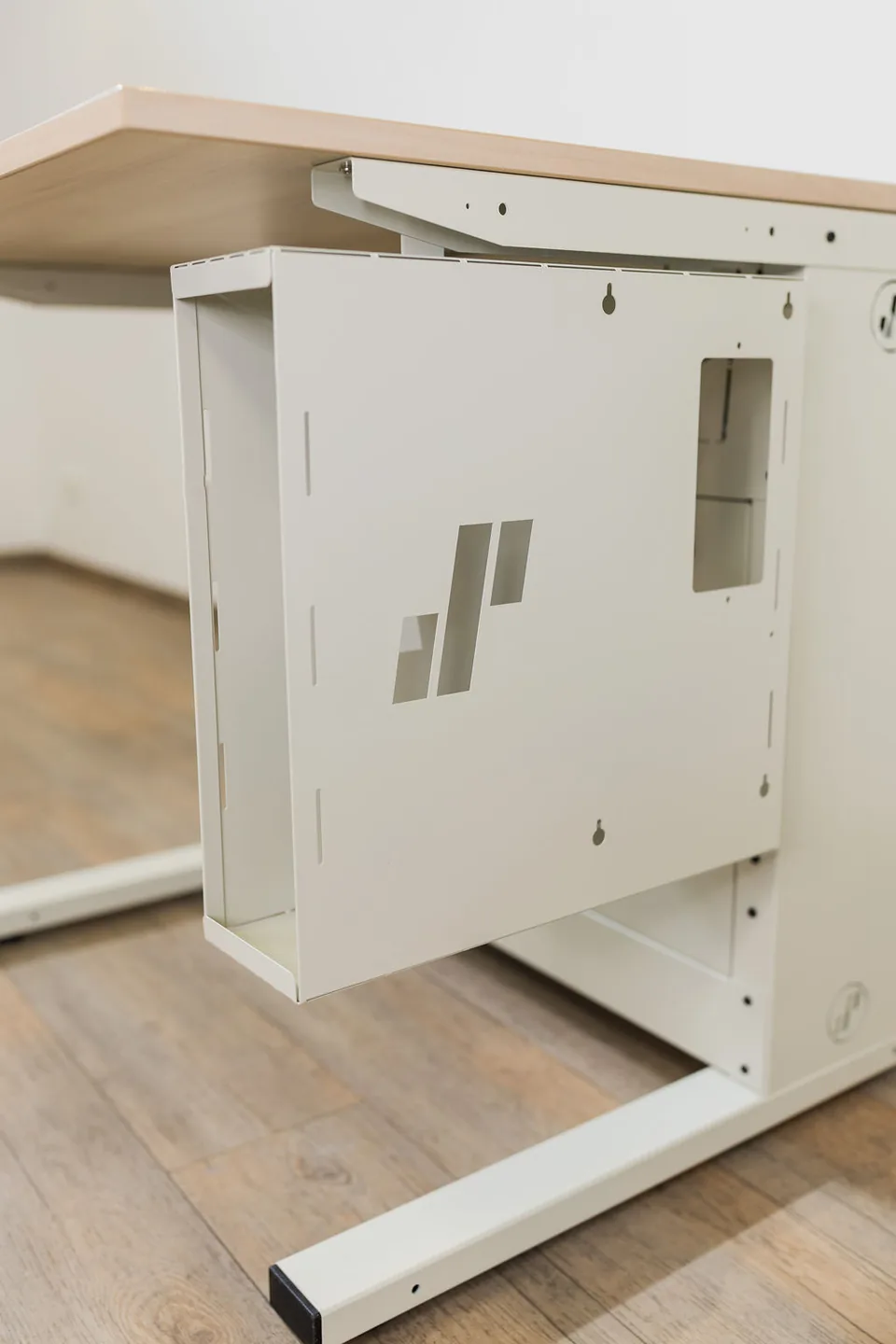
If a workplace also needs a permanently installed computer, the desk accommodates it, as with every SMESK system, from mini PCs to workstations: built into the desk body or attached to the desk with a PC holder. Larger devices are usually attached with a holder. Holders come in three sizes: Mini, Medium and Max.
- Mini
- Medium
- Max
SMESK supplies the furniture. You choose and buy the laptop and PC yourself. Your IT team keeps its familiar hardware and can continue to use its standard image, meaning the uniform software set-up on all devices. On request, we can also supply a suitable computer.
Which leaves the question of the cables.
Intelligent cable management
A route for every cable
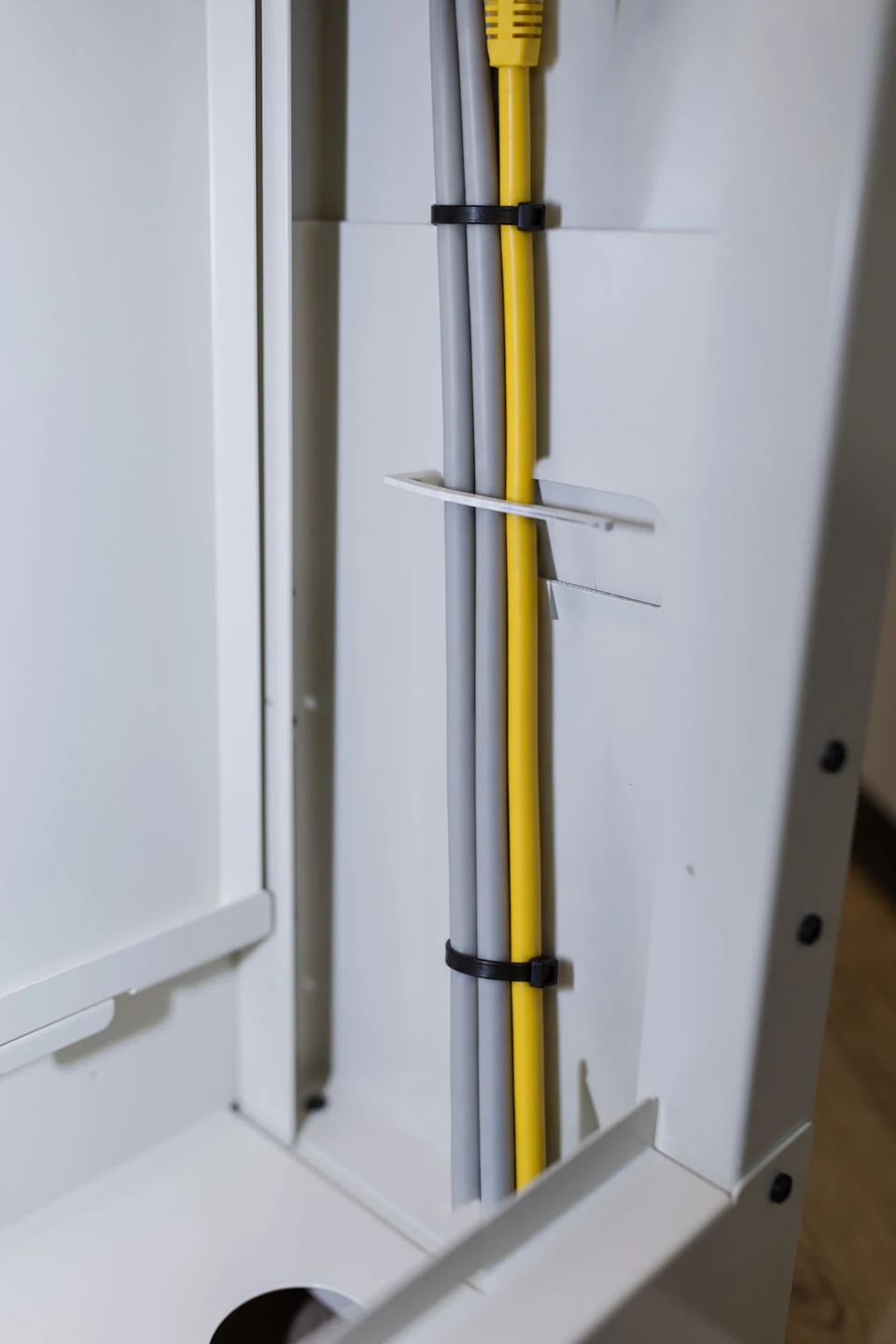
Power, network, video and peripheral cables run through the desk, concealed and protected against tampering. There is enough space for entire power strips and power supplies.
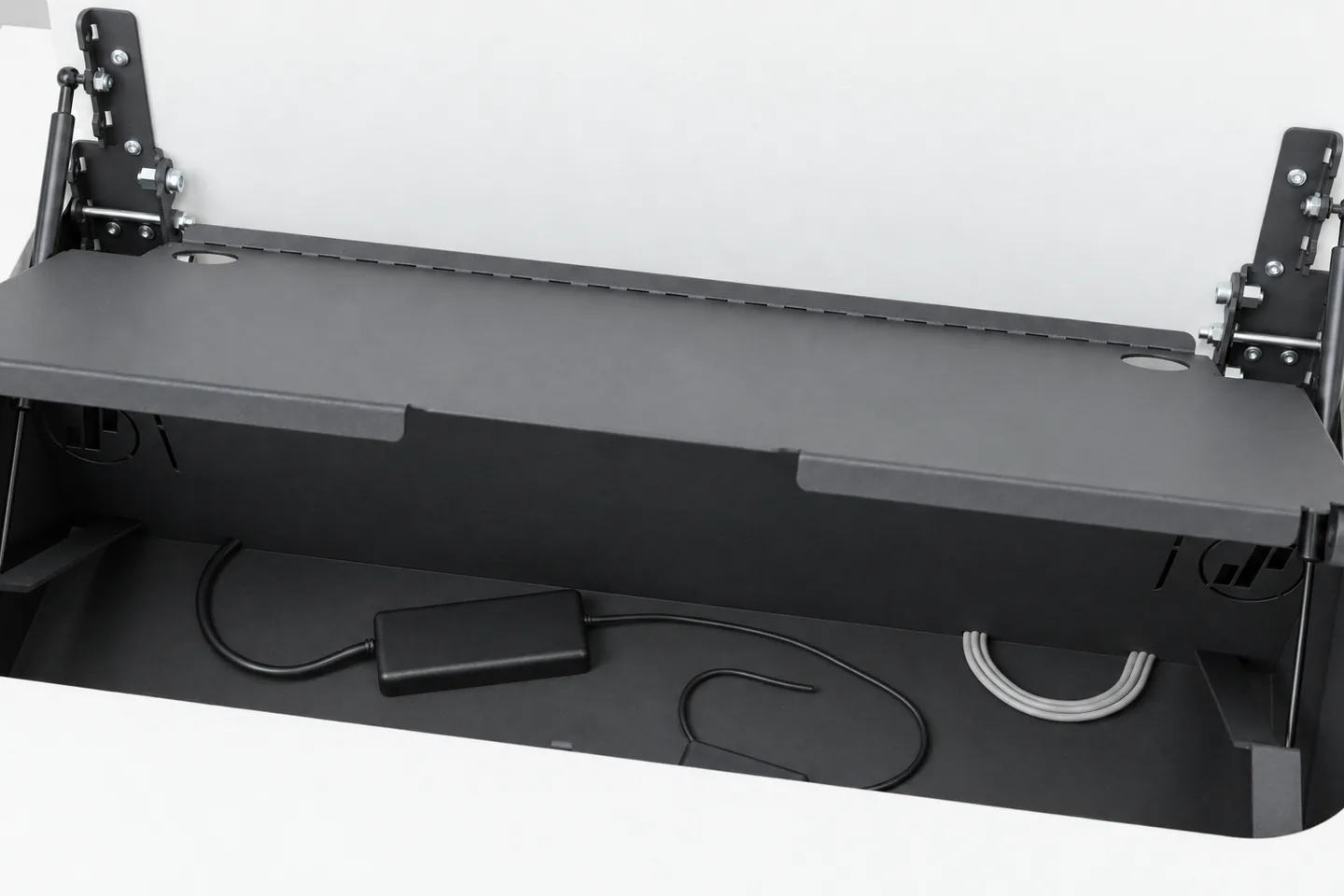
For the laptop, power is routed up to the platform at the back of the module, and network too if required. This lets the device stay plugged in inside the desk. The cable accessories in the module are the same as on the Flip.
Under the laptop platform there is storage space for power supplies, cables and small accessories. It is easy to reach: open the flap, lift the platform at its front edge and swing it up around the rear axis. Take the laptop off first. While you work, the power supply and cables stay out of sight under the platform.
The hollow desk legs serve as cable ducts. Despite the height adjustment, they can be closed securely with screw-on covers. Pre-formed openings in the legs make it possible to connect neighbouring desks with fully concealed cabling. If the ducts in the desk are not sufficient, you can add a lower cable tray with cover.
If required, every desk can be fitted with power and data via a modular built-in system. You can choose from Schuko sockets, network ports (RJ45), USB-A and USB-C. Further modules are available on request.
In everyday school life, what the desk can withstand matters too.
Robust and lockable
Built for continuous use
The flap also acts as a lid and can be locked with the rotary lock. The laptop then lies inside the lockable steel desk body. The PC holders can be locked too. This makes the devices much harder to steal or tamper with than freely accessible equipment.
The flap, hinges and gas springs are the same as on the Flip. We deliberately chose not to use a motor: the mechanism needs no power and requires little maintenance.
The steel and the desktop have a scratch-resistant coating. The laptop platform is made of powder-coated sheet steel in jet black. Parts and spare parts are covered by a 7-year SMESK warranty*. SMESK is a brand of C. Rudolf Salfer GmbH.
Applications
Wherever people work with laptops
The Note belongs in rooms that serve two purposes. There, the laptops stay in place instead of being handed out and collected again.
- Schools and vocational schools In laptop classes, everyone works at their own desk. Afterwards, the surface is clear for lessons in the same room.
- Training and seminar rooms Participants find their laptop right at their desk. After the exercise, the desk serves as a seminar workspace again.
- Universities In seminar and tutorial rooms, the laptops stay in the desks. The surfaces are still clear.
- Training centres and academies Training centres run by chambers of commerce and skilled crafts, public administration academies and private training providers switch between laptop course and seminar in seconds.
- Public administration Software training on laptops and meetings take place in the same room.
The overview shows which system suits which workplace.
The SMESK family
Which system suits your room?
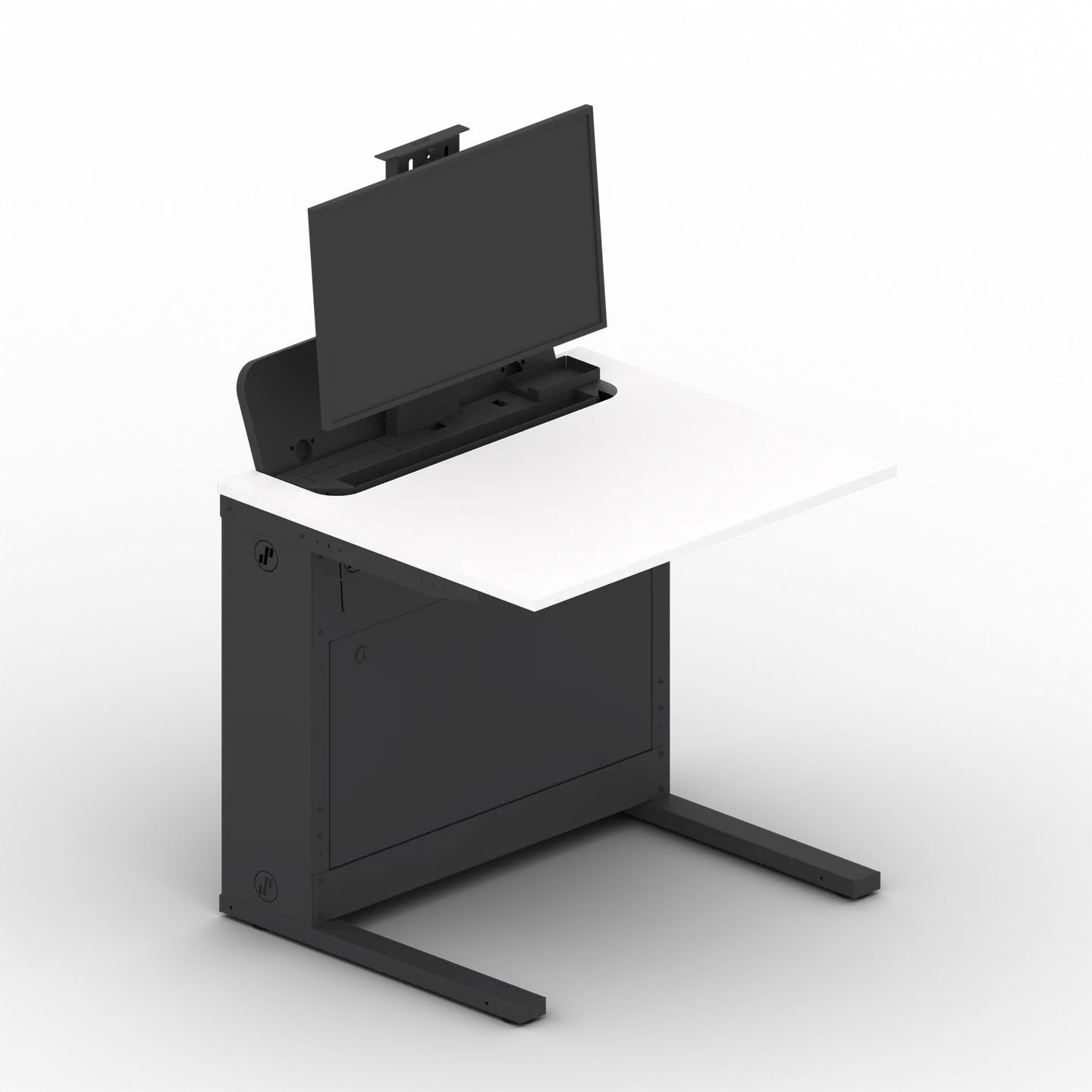
All five SMESK systems share the same base, the base module, and can be combined in the same room. The main difference is how the desk accommodates the screen or laptop.
SMESK Lift
With the push function, the monitor rises vertically out of the desktop: screen at eye level, plenty of workspace. Fully lowered, the surface is clear.
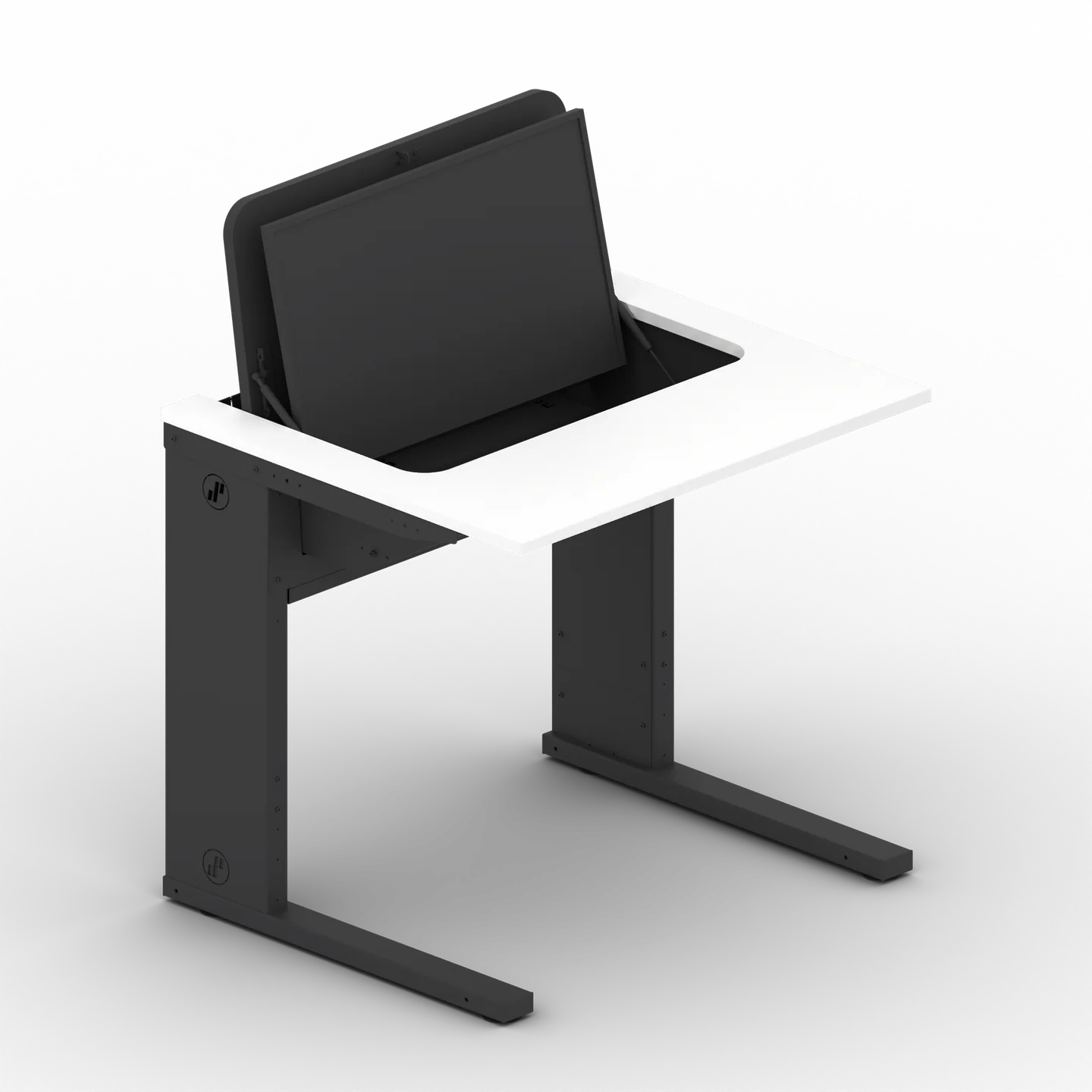
SMESK Flip
The monitor folds up on gas springs and stays partly recessed in the desktop: plenty of legroom and a clear view across the room. Folded down, the surface is clear.
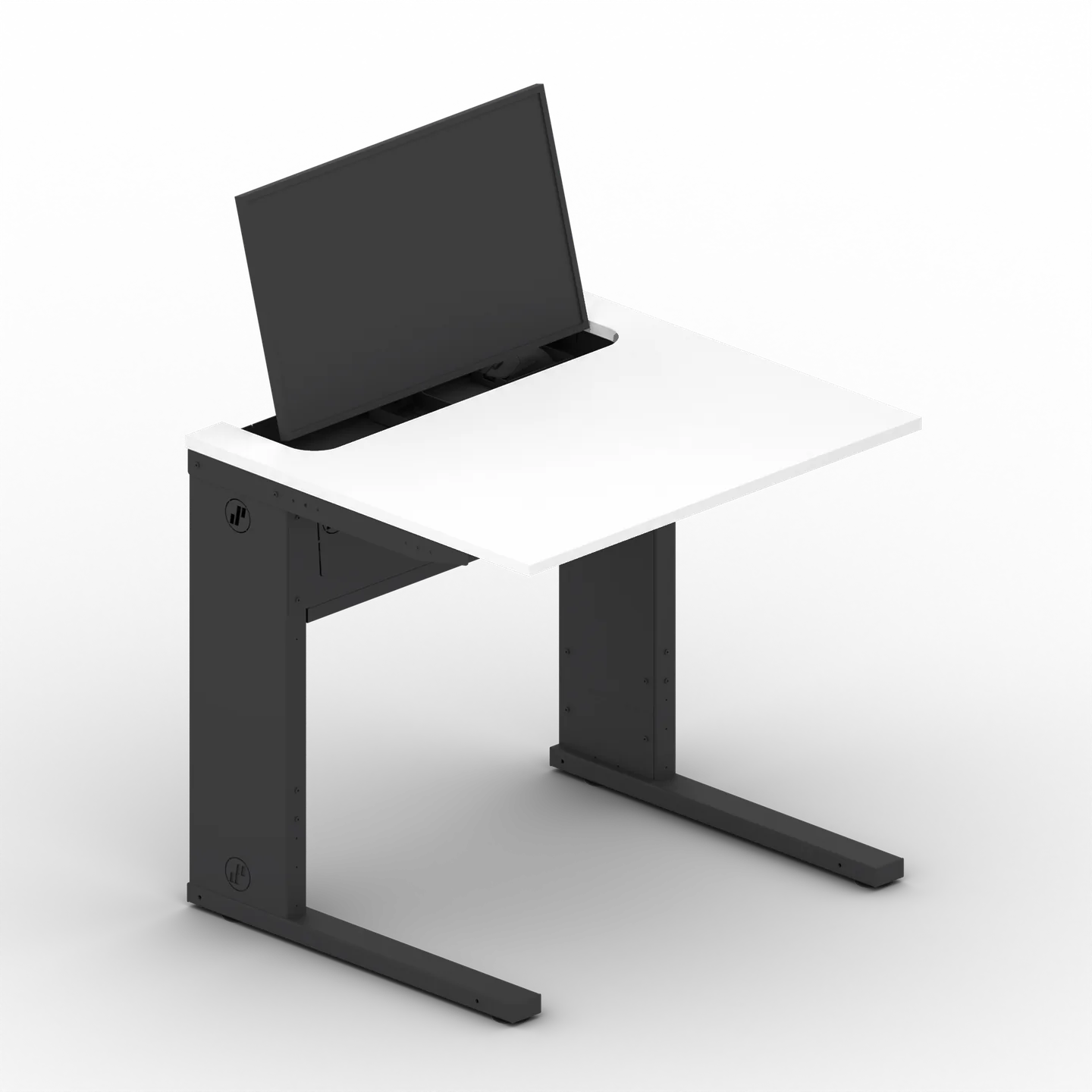
SMESK Semi
The monitor is fixed and half recessed into the desktop: no moving parts at the monitor, plenty of legroom, cost-effective. Keyboard, mouse, cables and PC can be stowed away neatly.
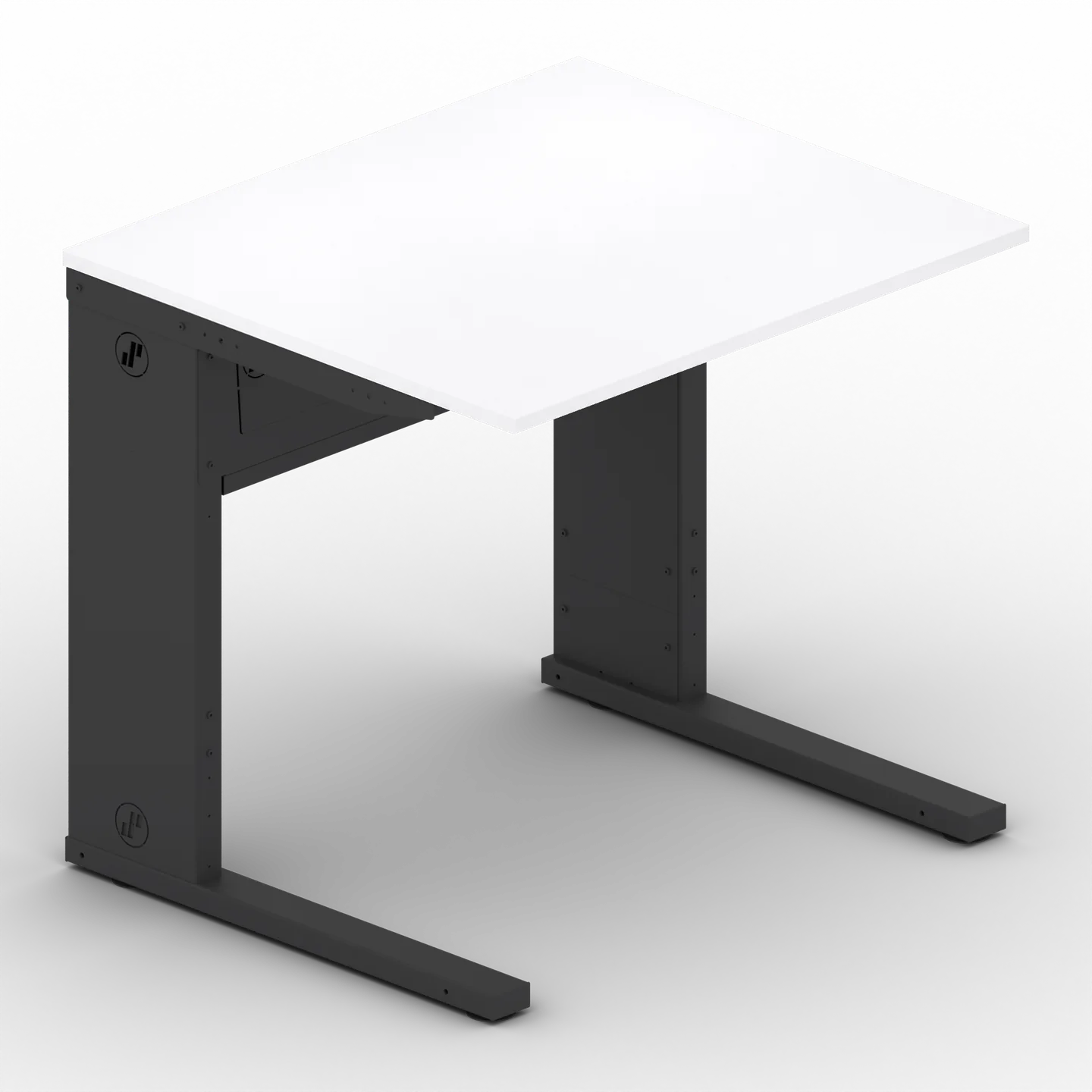
SMESK Top
Continuous closed desktop with the full work surface. The monitor stands on top, while the PC and cables sit inside the desk, protected against tampering.
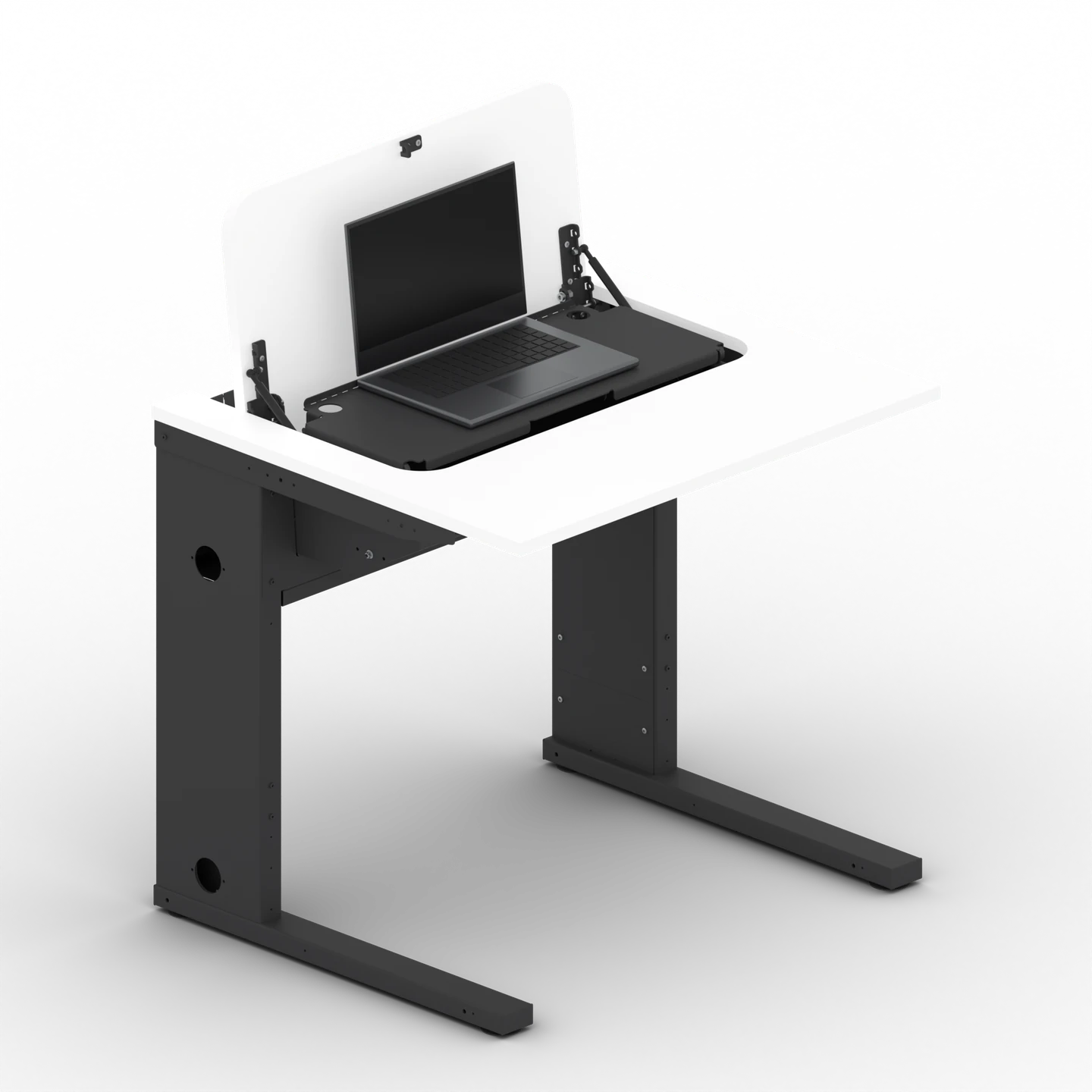
SMESK Note
The laptop comes out of the desk on a platform, flush with the surface: devices have a fixed place and can stay plugged in. When closed, the surface is clear.
For planning and tenders
Dimensions, options, technical data and answers to frequently asked questions.
Dimensions, versions and colours
SMESK Note is available as a single desk and as a double desk with two workstations on one desk body. On the double desk, the Note can be on the left, on the right or at both workstations. The desk linking kit joins desks flush to form rows and blocks.
- Single desk
- 80, 90, 100 or 120 cm wide
- Double desk
- 160, 180 or 200 cm wide
- Desk depth
- 70 or 80 cm
- Working height
- 74–82 cm in 15 mm steps, tool-adjustable
Colours and decors
The desk body comes in jet black (RAL 9005) or white aluminium (RAL 9006). There are six decors to choose from for the desktop: Crystal White, Pearl Grey, Onyx Grey, Natural Kendal Oak, Light Lakeland Acacia and Willow Beech. We use wood-based materials from our board manufacturer, sourced from PEFC/FSC-certified, sustainable forestry.
- Jet black, RAL 9005
- White aluminium, RAL 9006
 Crystal White
 Pearl Grey
 Onyx Grey
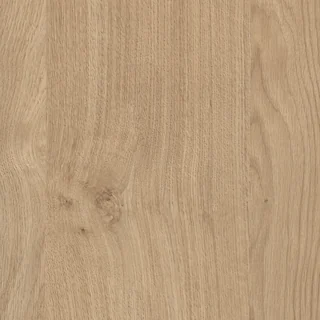 Natural Kendal Oak
 Light Lakeland Acacia
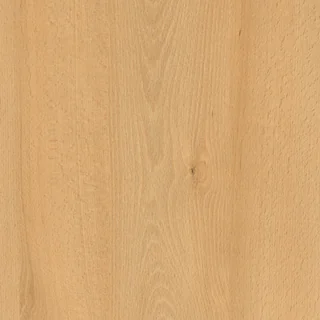 Willow Beech
On-screen colours may vary. We will send you samples on request.
Modular system
Options and accessories
The desk body, desktop, Note module and cable management are always included. You configure everything else to suit your application.
PC mounting and security
- PC holder Mini for slim mini PCs
- PC holder Medium for mid-size desktop PCs
- PC holder Max for large desktops up to tower size
- Locking bolt standard with the PC holder, design depends on the configuration
Cables
- CAT 6A patch cable for the network, routed through the desk body and protected against tampering
- Lower cable tray additional tray with cover under the desk
Power and data
- Retractable desk socket sits flush in the desktop when not in use
- Retractable power strip tower with 3 sockets, 2 × USB-C, 1 × USB-A
- USB-C built-in strip socket plus 100 W USB-C charging
- Built-in frame, fitted power and data combined in the desk
- 5-way power strip five sockets in the desk body
- RJ45 and HDMI connection panel network and video at the desk surface
Assembly and fixing
- Desk linking kit joins desks flush in a row
- Floor fixing set fixing brackets including mounting parts
- Back panel screens the view and protects cables at the rear
- Top leg cover for a tidy overall look
- Castor set four braked castors (Ø 42 mm)
Technical data
All values at a glance.
Dimensions and weight
- Type single desk or double desk (2 workstations on 1 desk body), Note on the left, on the right or on both sides
- Single desk width 80 / 90 / 100 / 120 cm
- Double desk width 160 / 180 / 200 cm
- Desktop depth 70 cm or 80 cm
- Desktop thickness 19 mm, matching 2 mm ABS edge
- Weight depending on configuration, on request
Height and Note mechanism
- Working height 74–82 cm in 15 mm steps, tool-adjustable, set once to suit the users ergonomically
- Height mechanism telescopic desk leg (‘leg-in-leg’) with button-head screws; height-adjustable levelling feet to compensate for uneven floors
- Note mechanism flap in the desktop with gas springs and rotary lock as on the Flip; as the flap opens, the platform comes up with the laptop; mechanism needs no power, no motor
- Position when open platform level, flush with the desk surface
- Position when closed platform with the closed laptop at a slight angle beneath the flap
- Locking the flap is the lid, lockable with the rotary lock
Laptop and PC housing
- Laptop up to 15.6 inches, height when closed up to 25 mm
- Laptop platform sheet steel, powder-coated jet black (also with a RAL 9006 desk body), support surface approx. 61 × 25 cm, stop edge at the back
- Cables to the laptop power, and network if required, routed up to the platform at the back; the laptop can stay plugged in inside the desk
- Storage space under the laptop platform for power supplies, cables and small accessories; accessible with the flap open, the platform is lifted at the front edge and swings up around the rear axis
- PC mount optional, any performance class, virtually all standard PCs, no fixed weight limit; in the desk body or on PC holder Mini, Medium or Max
- PC holder, takes PCs up to (W × H × D) Mini 42 × 213 × 202 mm · Medium 112 × 392 × 399 mm · Max 199 × 484 × 434 mm
Usable internal dimensions with a 5 mm insertion allowance. Width is the most reliable dimension; for Mini and Max, height and depth are partly open, so the PC may protrude. The dimensions of the laptop platform are rounded guide values.
Material and surface
- Desk body powder-coated steel, scratch-resistant, matt, lockable
- Steel thickness 0.8–2.0 mm, depending on the component
- Desktop 19 mm melamine-faced decorative chipboard with a scratch-resistant surface
- Desktop decors Crystal White, Pearl Grey, Onyx Grey, Natural Kendal Oak, Light Lakeland Acacia, Willow Beech
- Desk body colours RAL 9005 jet black, RAL 9006 white aluminium; laptop platform always jet black
- Wood-based materials boards from a European brand manufacturer, sourced from PEFC/FSC-certified, sustainable forestry (certification at manufacturer level)
Cables, power and data
- Cable management, as standard hollow desk legs as closable cable ducts, knock-outs at the top and bottom, desk-to-desk cabling, upper cable routing for cross-cabling, fixing and strain relief points; continued in the Note module, cable accessories as on the Flip
- Duct cross-sections generous, even for long rows of desks
- Lower cable tray optional, additional cable tray with cover under the desk
- Cable and trip protection tamper-protected cable routing in the desk body
- Electrification optional, via a modular built-in system with Schuko, RJ45, USB-A and USB-C; further power, data and multimedia modules on request
Delivery, warranty and planning
- Scope of delivery steel desk body, desktop and Note module; assembly hardware; lock or latch as standard, with a key or screw-fastened depending on configuration
- Your choice laptop, PC and peripherals
- As a service on-site installation, cabling and freight
- Delivery time from 7–8 weeks in the fast-delivery programme (selected models)
- Warranty 7 years on parts and spare parts from date of delivery, in the EU and Switzerland, non-transferable; wear parts (gas springs, locking mechanism) 1 year
- Origin developed and assembled in Germany, with assured spare parts supply
- Planning data DWG and DXF (2D), STEP (3D) on request
- Dimensional drawing front, side and top view on request
Frequently asked questions
Is your question not listed? Write to us at info@smesk.de or call us: +49 8631 3677-0.
How does the Note open, and does it need power?
You unlock the rotary lock under the desk and open the flap. As you do so, the platform comes up with the laptop. It then lies level and flush with the desk surface. To put it away, close the laptop, shut the flap and lock it. The mechanism works without power. Only your devices and the sockets in the desk need power, if you choose to have sockets.
Which laptops fit in the Note?
The laptop compartment is designed for laptops up to 15.6 inches. When closed, they can be up to 25 mm high. You decide which model to use, with no tie to any manufacturer.
Can the laptop stay plugged in inside the desk?
Yes. The power connection is routed up to the platform at the back of the module, and the network too if required. This lets the laptop stay plugged in inside the desk. Sockets in the desk are available on request via the modular built-in system.
Where do the power supply and cables go?
Under the laptop platform. There is storage space there for power supplies, cables and small accessories. With the flap open, lift the platform at its front edge and swing it up around the rear axis. Take the laptop off first, and hold the platform with one hand while you do this. Place everything so that nothing gets in the way of the platform when it closes, including at the sides.
How well is the laptop protected in the desk?
When closed, the laptop lies under the flap inside the steel desk body. The flap also acts as a lid and, as on the Flip, can be locked with the rotary lock. This makes the device much harder to steal or tamper with than freely accessible equipment.
How does the Note differ from the Flip?
Both use the same frame and the same flap with gas springs and rotary lock. On the Flip, a monitor is attached to the flap and folds up. The Note has no monitor. Instead, a platform with your laptop comes up out of the desk.
Can we also install a PC?
Yes. Like every SMESK system, the desk takes PCs of every performance class, in the desk body or on a PC holder in size Mini, Medium or Max. You decide which device to use. If you wish, we can supply a suitable computer as well.
Can the working height be adjusted during lessons?
No, not while the desk is in use. The working height is set once with tools. It can be adjusted between 74 and 82 cm in 15 mm steps. After that, it is permanently matched to your users. During lessons, only the flap with the platform moves.
How much does a room with SMESK Note cost?
That depends on the width, equipment and number of workstations. This is why we prepare a cost estimate for you, tailored to your room and your budget planning.
How quickly can you deliver?
Selected models are available from 7–8 weeks in our fast-delivery programme. For other versions, we will tell you the delivery time on request.
What is delivered, and who sets up the desk?
We deliver the steel desk body, desktop and Note module, including assembly hardware. The lock or latch version is included as standard and depends on the configuration. You choose the laptop, PC and peripherals yourself. We offer on-site installation, cabling and freight as a service.
What does the warranty cover?
The SMESK warranty covers parts and spare parts and applies for 7 years from the date of delivery, in the EU and Switzerland, without registration. Wear parts, namely the gas springs and locking mechanism, are covered for 1 year. The warranty is non-transferable and requires proper care. Removal, reinstallation and on-site service are not included.
What documents do we receive for planning and tendering?
On request, we will send you the product data sheet, planning data in DWG, DXF or STEP format, and ready-made text modules for your tender specification. The tender specification texts are written for a product-neutral tender. Write to us at info@smesk.de.
Next step
See it for yourself. In your room.
The best way to find out whether SMESK suits your room is to try it yourself.
Free trial installation
A SMESK desk in your room, with your users, free of charge and with no obligation.
Visit to a reference room
Experience a fully equipped SMESK room in everyday use. Visits are by invitation, and we treat the addresses confidentially.
Tender specification texts
Ready-made text modules for your tender specification, worded to be product-neutral.
Cost estimate for budget planning
Tell us the room size, number of workstations and the version you would like. We will get back to you with an estimate for your budget.

Get personal advice
Roland Oehlberg from the SMESK sales team will be happy to advise you.
- Phone+49 8631 3677-35
- Emailroland.oehlberg@smesk.de
- General enquiries+49 8631 3677-0 · info@smesk.de
We look forward to your enquiry!
Feel free to write to us in your own language. We offer personal advice in English, German and French.
Get personal advice
Would you like to find out more about the SMESK desk solutions?
Our team will be happy to advise you in person.
+49 8631 3677 35
info@smesk.de

Footnotes
- * Parts warranty under our warranty terms: 7 years from delivery on spare parts. Wear parts such as the gas spring and locking mechanism are covered for 1 year.